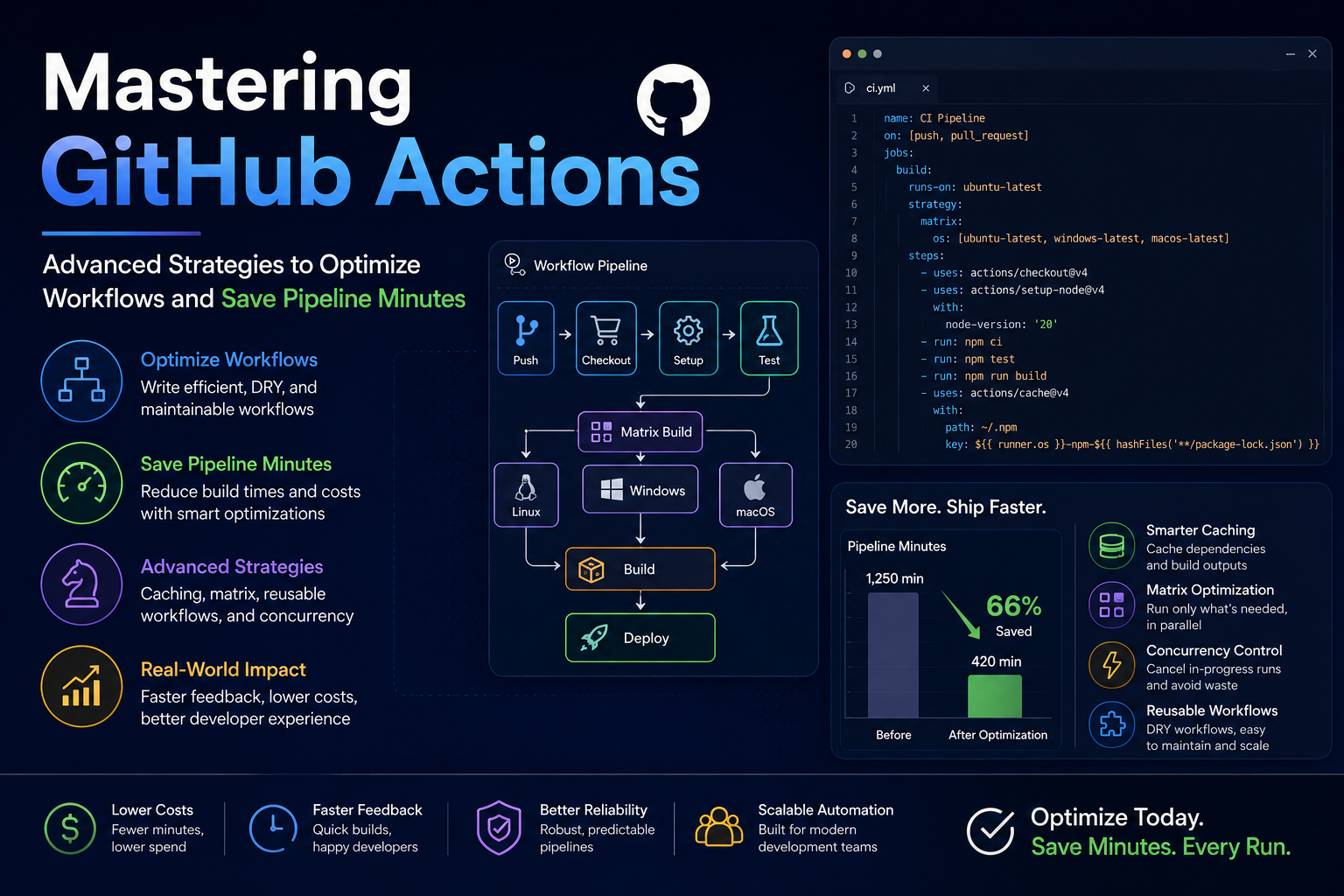
As continuous integration and continuous deployment (CI/CD) become deeply embedded in modern software workflows, automated pipelines have transitioned from a luxury to an operational necessity. Among these orchestration engines, GitHub Actions has emerged as an industry favorite due to its native repository integration and powerful marketplace ecosystem.
However, many development teams suffer from a hidden efficiency leak: bloated workflow files that trigger unnecessarily, run redundant tasks, and waste valuable execution minutes. Whether you are running on GitHub-hosted runners or managing a private container fleet, optimizing your pipeline configuration is critical to keeping deployment cycles fast and automation costs low.
This technical guide breaks down four advanced strategies to eliminate waste, accelerate execution speeds, and maximize your pipeline allocation.
1. Fine-Grained Workflow Triggers: Eliminating Redundant Runs
The most effective way to save pipeline minutes is to prevent a workflow from running when its execution provides zero value. By default, many developers configure basic triggers like on: push across the entire repository. This means a minor documentation update or a layout tweak in a frontend asset file will trigger heavy backend integration tests.
By implementing strict path filtering, you can instruct GitHub Actions to evaluate the specific files changed in a commit before spinning up a virtual environment:
YAML
on:
  push:
    branches:
      - main
    paths:
      - 'backend/src/**'
      - 'backend/requirements.txt'
      - '.github/workflows/backend-ci.yml'
  pull_request:
    branches:
      - main
    paths-ignore:
      - '**.md'
      - 'docs/**'
      - 'frontend/public/**'
paths: Ensures the backend CI pipeline only boots up if modifications occur within the backend source code or configuration files.paths-ignore: Explicitly prevents pull requests from consuming runner minutes if the changes are restricted to markdown files or frontend documentation.
2. Advanced Caching Configurations for Dependency Management
Spiraling compilation times are frequently caused by workflows that download and reinstall project packages from scratch on every single run. Shifting from fresh installations to an intelligent caching architecture can shave minutes off each pipeline execution.
While standard GitHub Action language plugins offer built-in caching flags, implementing a manual actions/cache block provides precise control over cache invalidation via unique hashing keys:
YAML
- name: Cache Python Dependencies
  uses: actions/cache@v4
  with:
    path: ~/.cache/pip
    key: ${{ runner.os }}-pip-${{ hashFiles('**/requirements.txt') }}
    restore-keys: |
      ${{ runner.os }}-pip-
The Lifecycle of the Cache Key:
key: The runner evaluates a unique cryptographic hash generated from yourrequirements.txtfile. If the file hasn’t changed, the runner pulls the pre-built package directory instantly from storage.restore-keys: If a minor dependency is added and the hash changes, the system won’t start from an empty folder. Instead, it falls back to the closest matching older cache string, downloads the bulk of the existing dependencies, and only installs the newly added packages.
3. Parallel Execution vs. Strategic Matrix Builds
When a project grows to encompass multiple operating systems, software runtimes, or distinct test suites, execution times can bottleneck if configured sequentially. Utilizing matrix strategies allows you to fan out jobs in parallel, but it requires careful management to avoid multiplying your minute usage exponentially.
YAML
jobs:
  test-suite:
    runs-on: ubuntu-latest
    strategy:
      matrix:
        python-version: ['3.10', '3.11']
        test-chunk: [1, 2]
      fail-fast: true
- Parallel Fan-out: This matrix splits your test files into two parallel chunks across two different Python versions, running four isolated jobs simultaneously to deliver rapid feedback.
fail-fast: true: This parameter acts as a critical cost safeguard. Iftest-chunk: 1encounters a fatal compilation error on Python 3.10, GitHub Actions immediately cancels all other remaining matrix blocks (test-chunk: 2on both runtimes). This prevents the pipeline from burning through ghost minutes on a build that is already guaranteed to fail.
4. Enforcing Strict Timeouts and Concurrency Controls
Left unmonitored, stuck processes, broken network requests, or infinite loops within a testing script can cause a job to hang indefinitely. While GitHub enforces a default maximum job timeout of 360 hours, leaving it unconfigured introduces massive vulnerability to unexpected minute drains.
Adding explicit limits at the job level protects your allocation from rogue runners:
YAML
jobs:
  integration-test:
    runs-on: ubuntu-latest
    timeout-minutes: 15
    concurrency:
      group: ci-integration-${{ github.ref }}
      cancel-in-progress: true
timeout-minutes: 15: If the test suite fails to complete within fifteen minutes due to a deadlocked process, the runner self-terminates automatically, capping your potential loss.- Concurrency Grouping: If a developer pushes a new commit to a feature branch while a previous build is still chugging along,
cancel-in-progress: trueinstantly halts the older, obsolete pipeline run. This ensures that computing resources are focused solely on evaluating the latest iteration of the codebase.
Reference Links
- GitHub Actions Documentation on Workflow Syntax: https://docs.github.com/en/actions
- Optimizing Caching in CI Environments: https://github.com/actions/cache
- Open Source CI/CD Optimization Patterns: https://github.com/features/actions







+ There are no comments
Add yours